
Good news for LRob users: the PHP memory_limit has been doubled on all accommodation options, with no price increase as of today. This change significantly improves the stability of websites, particularly those using visual builders such as Elementor.
👉 See LRob accommodation offers
New ceilings in force :
- Starter Web : 256M → 512M
- Pro Web : 512M → 1024M
- Ultra Web : 1024M → 2048M
In this article, LRob explains what PHP memory_limit is, why this update was necessary, and how it improves your web experience, whether you're a current customer or a future user.
Contents
What is PHP memory_limit?
Le memory_limit is a PHP directive that defines the maximum amount of memory that a PHP script can use. It is defined in the configuration file php.ini, and the host sets the limit by default.
If a site exceeds this memory_limit, the script will be automatically interrupted to prevent it affecting other hosted sites.
For dynamic web applications such as WordPress, where certain plugins or complex operations can consume a lot of memory or even crash, and risk saturating an entire server, the memory_limit allows hosts to delimiting offers commercially while protecting the accessibility and stability of accommodation.
What is the typical error when memory is exceeded?
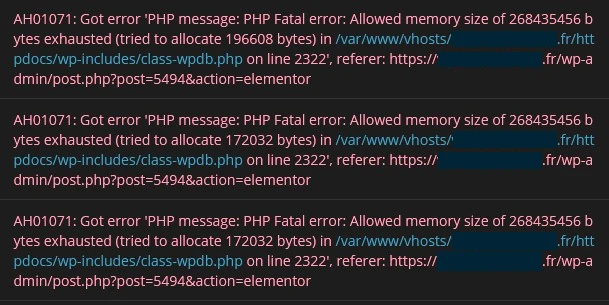
When this limit is reached, PHP returns a fatal error, often similar to this:
AH01071: Got error 'PHP message: PHP Fatal error: Allowed memory size of 268435456 bytes exhausted (tried to allocate 196608 bytes) in /var/www/vhosts/site.fr/httpdocs/wp-includes/class-wpdb.php on line 2322', referer: https://site.fr/wp-admin/post.php?post=1337&action=elementor
This means that the script has tried to allocate more memory than the authorised limit (in this example, 256M). Result: WordPress page or administration crashes.
Why are certain tools like Elementor more concerned?
Tools such as Elementor, WPBakery, or WooCommerce are more demanding in terms of RAM and therefore memory_limit than basic WordPress installations, for several reasons:
- Visual operation loading of numerous elements in real time, various conversions
- Complex functionalities multisite compatibility, template management, third-party integrations
- Dynamic processing previews, widgets, nested shortcodes, etc.
This is why users of these systems are more likely to experience memory-related errors.
Why has LRob doubled the memory_limit?
LRob has taken this decision with a view to continuous improvement, at no extra cost to customers. There are several reasons for this:
✅ Making life easier for customers
No need to contact support to request a memory upgrade. LRob anticipates your needs.
✅ Offering more without changing prices
In a sector where options are sometimes billed as extras, LRob prefers to offer more and more to its users.
✅ Free up time for higher-value support
Fewer tickets for changing arbitrary limits = more time for helping you with your projects.
✅ A solid, oversized infrastructure
LRob servers have a minimum of 128 GB RAM, allowing this increase without any impact on stability, even under heavy collective loads.
And if memory is increasing, do you still need to optimise your site?
Yes, always! This increase must not become a pretext for neglecting good practice.
- An optimised site is faster, more economical with server resources
- He reduces its carbon footprint
- Above all, it offers a better user experience
LRob recommends maintaining an eco-responsible approach, even with more memory margin.
Discover LRob's offers
Are you looking for a reliable web host that's generous with resources and listens to your needs?
Join LRob today and benefit from uncompromising performance.
Leave a Reply
You must be logged in to post a comment.