It's sometimes difficult to tell the difference between a malfunction and a hack. However, there are signs that your site has been hacked. Today, let's take a look at the 8 most common signs of hacking on your WordPress site.
❌ Warning: if in doubt, it is best not to connect to the site administration. Indeed, if your site is hacked, this may allow the hacker to recover your password. What's more, the hacker may trigger certain actions automatically when you act on the hacked site, which would make the situation worse.
✅ If you think your site has been hacked, you should suspend your hosting while your site's files and database are dealt with directly.
Repairing a WordPress site requires adherence to a scrupulous protocol, like the one I offer in my repairing and securing hacked WordPress sites. If you have any doubts, contact me and we'll be happy to advise you. free assessment and immediate safety measures.
Contents
1. Unauthorised advertising and redirections
Unwanted adverts or redirections to third-party sites appear on your site.
Cause and explanation
The hacker has been able to break into the site's files and/or database to insert these ads and redirects. Their aim is to steal your traffic to generate revenue.
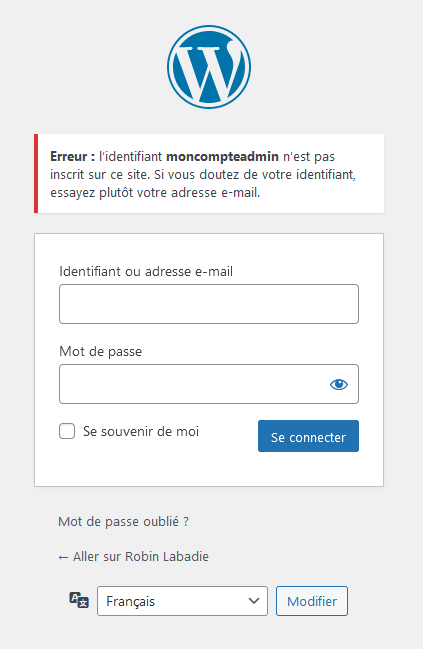
2. Unable to connect as administrator
Your administrator password no longer works or seems to change unexpectedly after each reset.
Cause and explanation
The hacker has introduced a backdoor (code hidden in your site) enabling him to change all the passwords at will.
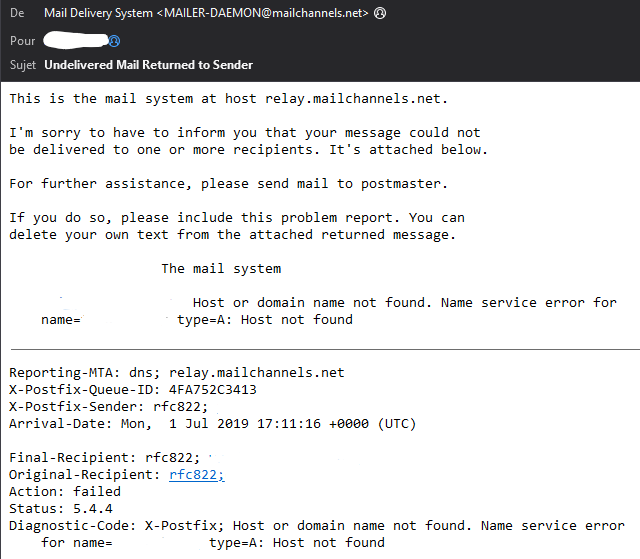
3. You receive notifications of rejected e-mails
You receive notifications of rejected emails (also known as bounces or mailer-daemons) that you did not send yourself.
Cause and explanation
The hacker is using your site to send emails or may have compromised your email password. In some cases, they are simply using a poorly configured and insecure contact form as a platform to send emails to the recipients of their choice, which also needs to be addressed to avoid your blacklisting.
4. Google Safe Browsing or antivirus security alert
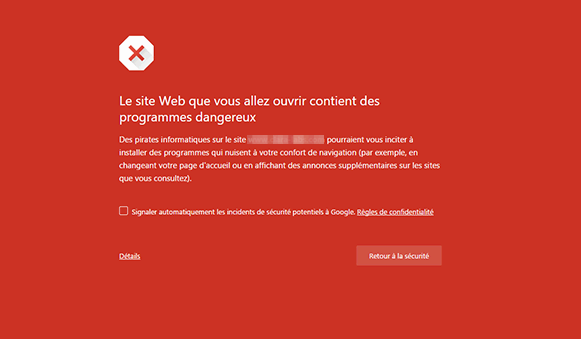
When you visit your site, your browser displays a «Dangerous or malicious site» alert, either via Google Safe Browsing or via your antivirus software. The blocked URL displayed belongs to your site or to a third-party site.
Cause and explanation
Your site contains URLs from phishing, malware, or redirects visitors to malicious sites. Google maintains a database of these malicious sites, which all web browsers use to protect visitors.
5. Unwanted content and foreign languages
You see additional or modified articles or pages on your site. Often in a foreign language. And often with suspicious links to other sites.
Cause and explanation
The hacker controls your site. Either by adding an administrator account, or by using a backdoor to inject code into the database. This allows them to insert any content they wish.
Not to be confused with «spam» comments. This concern needs to be addressed but does not necessarily mean that your site has been compromised. This concern needs to be addressed but does not necessarily indicate that your site has been compromised.
6. Unknown users
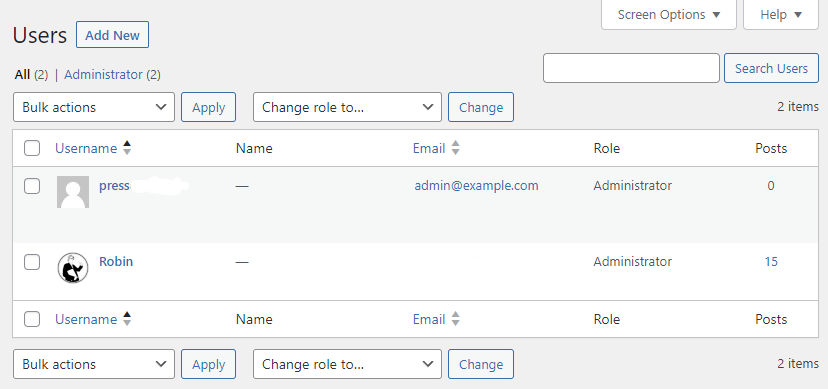
You see one or more unknown administrator users in the WordPress user list. Sometimes you notice that your existing admin account details have changed.
NB: As you don't need to connect to the site administration, this can also be seen in the wp_users table in the database (via phpMyAdmin for example).
Cause and explanation
The hacker controls your site. Either via an administrator account that has been added or compromised, or (and this is the most common case) via a backdoor that allows him to inject code into the database. This allows them to control the site's users.
This should not be confused with unwanted users registering on your site. This concern must be dealt with, but does not necessarily mean that your site has been compromised.
7. Phishing pages
Using a statistics tool or when exploring the files on your site, you may notice that some URLs or files (often .html) resemble pages on well-known sites.
Cause and explanation
This is called phishing. The hacker has taken control of your site and can upload files of his choice to it or write to the database. Phishing allows the hacker to lure visitors to your site to whom he has previously sent false emails, in order to use it as a gateway and recover personal information from his victims.
8. Intruder files
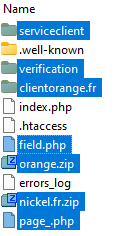
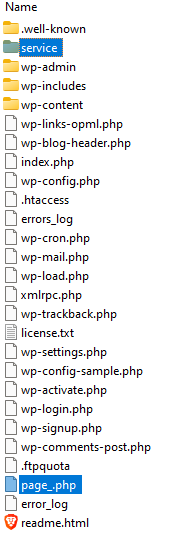
You notice unusual files via FTP or via your hosting panel. You notice even one intruder file or folder in your WordPress files. Sometimes «.zip» files and sometimes in the underlying folders.
Cause and explanation
The hacker has been able to send unwanted files to your site and now has total control over it. They can read existing files and add new ones. He will usually have taken care to hide backdoor files throughout the files in order to try to keep access to the site even if you clean up the content. If in doubt, compare with the archive on wordpress.org or call in a professional to repair your site thoroughly.
What should I do if I notice any of these signs?
If you spot any of these signs of hacking, don't become a cybersecurity expert if you're not one, contact me for immediate assistance.
Ideally, you should host your site on a secured server as offered in my hosting and webmastering packages. So pirates are automatically blocked, This drastically reduces any risk of piracy. Also, malicious files are regularly scanned at server level, which is the most reliable way of proceeding.
If there are no special security measures in place on the server hosting your site, you can start by using the WordFence which, although heavy and slowing down your site, will at least scan your site for malware and protect you from certain basic attacks.
And to keep your WordPress site secure at all times, don't miss my WordPress webmastering services.
Leave a Reply
You must be logged in to post a comment.