
Translating a WordPress site can be a challenge, especially when the automatic translation of a page requires it to be visited beforehand. As a’WordPress hosting specialist and WordPress webmaster, I regularly work on multilingual sites with automatic translation. For this, I generally use TranslatePress Developer edition, with the DeepL API to perform this translation. But what's the problem? Translating everything at once isn't natively possible. So we had to find a solution. Discover this solution and save hours!
Problem: It is not possible to translate the entire site at once.
With TranslatePress, the translation of the content of your pages and articles and above all their URLs (only available as a paid version) only takes place once someone has visited the page.
However, we would like all URLs to be up to date, to avoid them changing for Google and generating 301 redirects, or even worse, 404 errors.
On small sites, you can visit each page and article in each language.
For a site with hundreds of pages and articles, going through them all by hand would take hours.
So how do you go about it?
Solution: Visit the entire sitemap automatically!
The solution is as follows: Create a script that visits all the pages on your site, based on its SiteMap.
Your site doesn't have SiteMap? Click here for more details.
A SiteMap is a page, generally in XML format, that you can send to search engines (typically Google Search Console) to help them index all the pages on your site. This is quite essential with today's standards.
If you don't already have SiteMap, it can be easily added using the WordPress plugin, for example RankMath SEO.
Then you need a terminal that supports BASH. On Linux and Mac, it is native. On Windows, it is possible that the powershell supports BASH, but alternatively, I would advise you to install WSL. If you have SSH access to a Linux server, this obviously works perfectly.
The script
To save time, I used ChatGPT to create the following script. This will recursively visit all the URLs in your sitemap.xml via curl.
You can call this script «sitemap_visitor.sh» for example, make it executable (chmod +x sitemap_visitor.sh), then run it with your sitemap.
The two arguments to be indicated are :
- The URL of your site
- The length of time to wait between each request (you can set this to 0 if you trust your server, and your translation API consumption)
For example:
./sitemap_visitor.sh https://wwww.votresite.fr/sitemap_index.xml 1The script:
#!/bin/bash

sitemap_url="$1"
delay="$2"
declare -A visited_sitemaps  # Declare an associative array to track visited sitemaps

# Function to visit all URLs in a sitemap
visit_sitemap_urls() {
  local current_sitemap="$1"

  # Check if the sitemap has already been visited
  if [[ ${visited_sitemaps["$current_sitemap"]} ]]; then
    echo "Skipping already visited sitemap: $current_sitemap"
    return
  fi

  # Mark the current sitemap as visited
  visited_sitemaps["$current_sitemap"]=1

  # Fetch the sitemap
  echo "Fetching sitemap from: $current_sitemap"
  sitemap_content=$(curl -s -L "$current_sitemap")  # Added -L to follow redirects

  if [[ -z "$sitemap_content" ]]; then
    echo "Failed to fetch sitemap. Skipping."
    return
  fi

  # Extract URLs from the sitemap using grep and sed
  urls=$(echo "$sitemap_content" | grep -oP '(?<=<loc>).*?(?=</loc>)')

  if [[ -z "$urls" ]]; then
    echo "No URLs found in the sitemap. Skipping."
    return
  fi

  echo "Found $(echo "$urls" | wc -l) URLs in the sitemap."

  # Visit each URL
  while read -r url; do
    echo "Visiting: $url"
    response_code=$(curl -o /dev/null -s -w "%{http_code}" -L "$url")  # Added -L here too

    if [[ "$response_code" == "200" ]]; then
      echo "Successfully visited: $url"
    else
      echo "Failed to visit $url: HTTP $response_code"
    fi

    # Respectful crawling: wait between requests
    sleep "$delay"

    # Check if the URL is another sitemap
    if [[ "$url" == *.xml ]]; then
      echo "Found nested sitemap: $url"
      visit_sitemap_urls "$url"
    fi
  done <<< "$urls"
}

visit_sitemap_urls "$sitemap_url"
You've now translated your entire WordPress site!
I hope you've saved a few hours with this tip!
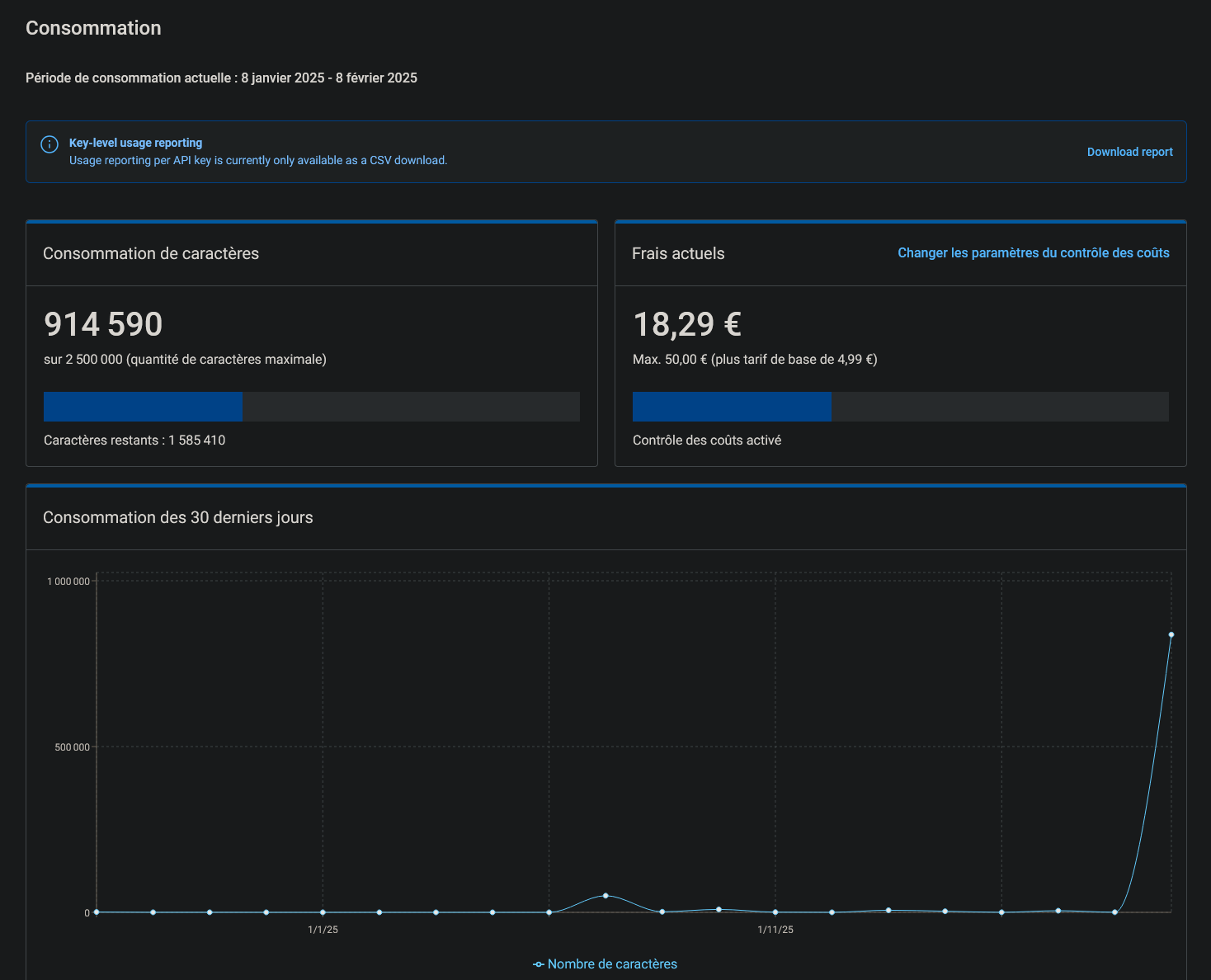
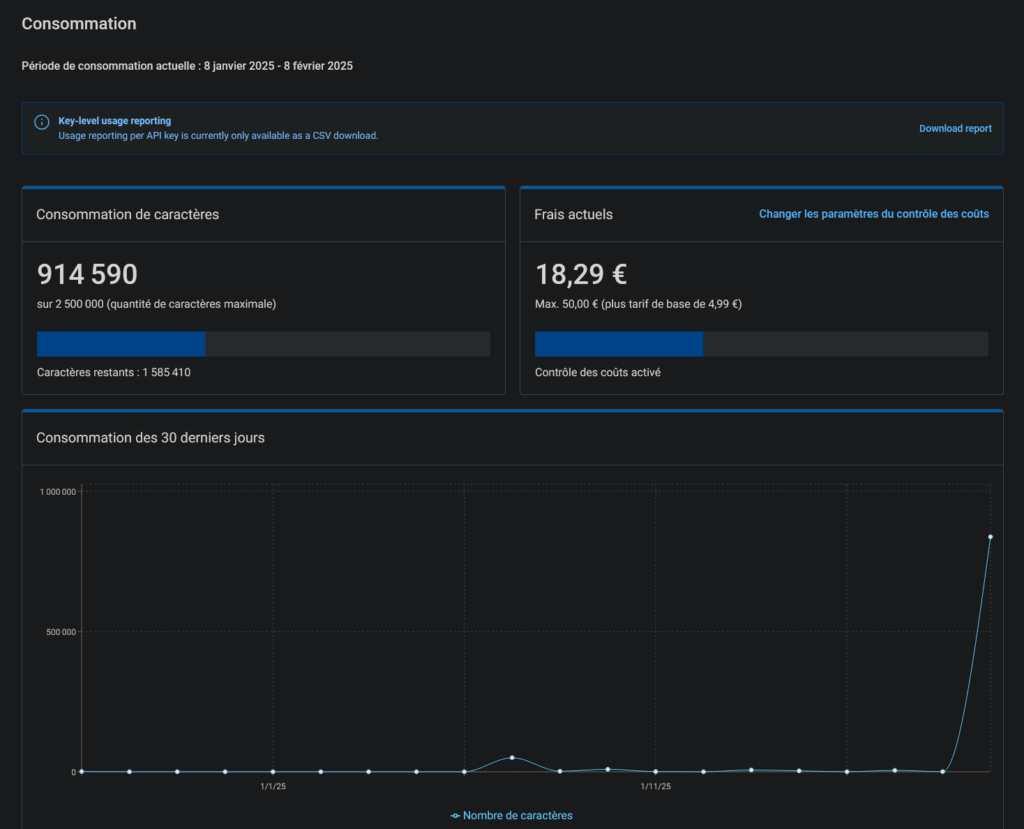
For a site with around a hundred pages and 5 additional languages, it cost me just under €20 for the DeepL API (+€4.99 subscription fee). Your experience may vary, so be sure to set limits, whether in TranslatePress or DeepL.
PS: This solution also allows you to cache your entire site after emptying it. 😜
Already an LRob customer and want to translate your site?
Are you looking for a a competent host with a commitment to WordPress ?
Or a Webmaster ?
Choose LRob!
Leave a Reply
You must be logged in to post a comment.